


Video Player All Format
4.834.38K Reviews
App Specs
- Version
- 2.7.4
- Updated On
- License
- Free
- Downloads
- 100,000,000+
- Developer
- InShot Inc.
- Categories
- Video Players & Editors
- Platform
- Android, iOS
Screenshots

 Analysis by AppCompare
I tend to reach for a dedicated player when a video saved on my phone refuses to open in the gallery, and Video Player All Format is aimed squarely at that everyday annoyance. It is an Android video player from InShot Inc., rather than an editor, so its main job is helping you find and watch local clips. I like that focus, though I would treat its broad format support as a convenience rather than a guarantee that every file will play perfectly on every device.
What free access means here
The app is free to install, which makes it easy to try before deciding whether it belongs in your regular rotation. There are in-app purchases priced from $0.99 to $9.99 per item, so “free” describes the starting point, not necessarily every optional purchase. I would begin with the no-cost experience and only consider paying if an option you actually want is clearly presented in the app.
That distinction matters because a media player is useful only if it fits your own viewing habits. If you mainly watch a few clips from your camera roll, the free access may be enough. If you are comparing players because you need a particular advanced tool, check that tool in the current app before spending; I would not assume that every feature described in older discussions is available in the same form today.
Where the value comes from
The practical benefit is having a separate place to browse and play videos rather than relying entirely on the default gallery. The app has a 4.8 average from around 1.9 million ratings, and it has been installed over 100 million times. Those figures suggest that it has found a broad audience, but they do not tell me whether it will suit your files, phone, or preferred controls. A quick test with a video you watch often is more useful than popularity alone.
For me, the strongest reason to keep a player like this is variety: one app can serve as the fallback when a file behaves differently from a normal phone recording. The trade-off is that a dedicated player adds another library and set of controls to manage. If your built-in player already opens everything you use and gives you the playback options you want, switching may bring little practical value.
Using it for real viewing routines
A realistic use is downloading a lecture or saving a long family video for a commute, then returning to it in short stretches over several days. In that situation, finding the file quickly and resuming playback matter more than a long feature list. I would test those basics with a couple of files from different folders before moving a large collection into a new playback routine.
First Impressions
I downloaded Video Player All Format from the Play Store, and right off the bat, I noticed how clean and straightforward the user interface looked. It doesn't bombard you with unnecessary features or confusing menus. Everything is laid out in a way that makes sense, which is a breath of fresh air in the world of media players.
Worth Reading Before You Choose

Baby Panda World Brings Quick Play to Modern Phones, but Its Game Library Feels Busy

ESPN’s Live Game View Makes Following Close Games Easier

QuizzLand Review: A Good Fit for Short Trivia Breaks, Not Every Player

Basketball Stars: Multiplayer Is Fast, but Can It Recover When Matches Go Wrong?

WEBTOON Turns Phone Updates Into a Better Reading Routine

Link to Windows Runs on Shared Habits, Not Social Feeds
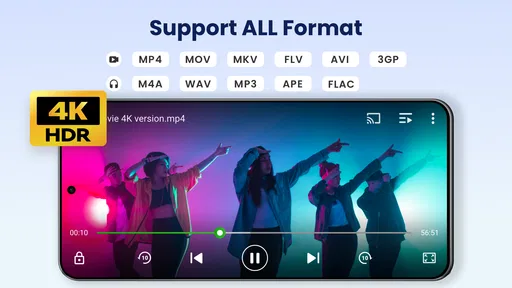
Once you open the app, it automatically scans your device for video files. It’s quick and efficient, and you don’t have to worry about manually adding your media. The app supports a wide range of formats like MKV, MP4, AVI, and more. So, if you've got a collection of old videos in obscure formats, this app has got you covered.
Features That Stand Out
One of the first things I noticed was the hardware acceleration. This feature ensures that even high-definition videos run smoothly without any lag. If you’re like me and love watching movies on your phone, this feature is a game-changer.
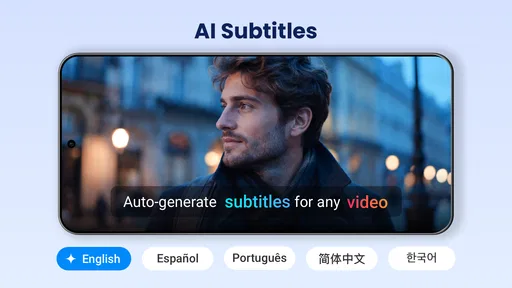
Another cool feature is the subtitle support. You can easily load subtitles in various formats, which is perfect for foreign films or if you just like having them on for clarity. The app allows you to adjust the subtitle sync, font, and size, giving you a customized viewing experience.
Now, let’s talk about the audio. The app supports multiple audio tracks, which is super handy for videos with commentary or different language options. Plus, the audio equalizer lets you tweak the sound to your liking. Whether you prefer bass-heavy sound or something more balanced, the equalizer has got you sorted.
User Experience
Navigating through the app is a breeze. The library is neatly organized, and you can sort your videos by name, date, or size. There’s also a search function which is pretty accurate, making it easy to locate specific videos in a large collection.
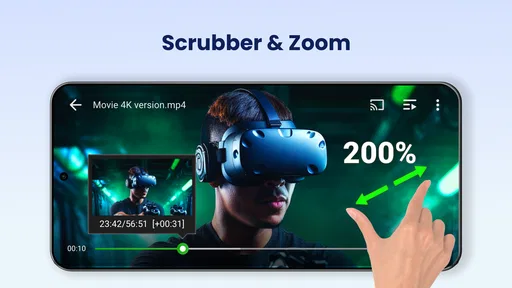
One aspect I appreciate is the app’s ability to remember where you left off in a video. This means you can switch between videos or even close the app, and when you come back, it picks up right where you left off. No more scrubbing through to find your spot, which is a small but significant time-saver.
What to check before settling in
When a file fails, I would first distinguish between a format problem and a damaged or incomplete file. Try another video in the same format, then try the troublesome clip in a different player if you already have one. If only that file fails, replacing or re-downloading it may be more useful than changing apps. That simple check prevents blaming the player for a file that is itself the issue.
Subtitles can also take a little setup. If a caption track appears out of sync, adjusting timing is more sensible than repeatedly restarting the video; if the text is hard to read, changing its size or font can help without changing the video itself. For language films, I would test the subtitle file and the audio-track choice at the start, not halfway through a movie. These small checks save frustration later.
Playback smoothness is another thing I would judge on the actual phone and file, not from a feature name alone. High-resolution video can be demanding, and performance may depend on the device as well as the clip. If playback stutters, I would compare a lower-resolution copy or another player before deciding the app is unsuitable. A player can offer hardware acceleration and still encounter limits imposed by the phone or the file.
How it compares with familiar options
Compared with a phone’s built-in gallery player, a dedicated video app is most useful when you want a separate library and more control over playback, subtitles, or audio. The built-in option is often the simpler choice for quickly checking a camera clip, since it is already part of the usual photo workflow. I would not replace it automatically; I would use this app when the gallery’s controls or file handling become a real obstacle.
Compared with other standalone players, the decision is less about a universal winner and more about which app handles your own files comfortably. If you already use a player whose interface you understand and whose subtitle and audio controls meet your needs, changing to this one may not improve much. Video Player All Format makes more sense as a practical alternative to test when you want another way to browse local videos, rather than as a reason to abandon a working setup.
Additional Perks
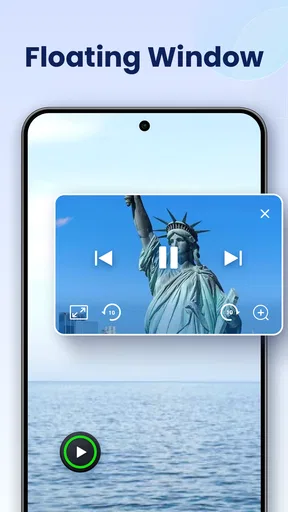
On top of its core functionality, Video Player All Format also offers some nifty extras. For example, there’s a night mode to reduce eye strain during late-night binge sessions. There’s also a pop-up window feature that lets you watch videos while multitasking. You can resize the window and drag it around the screen, which is perfect for when you’re trying to watch something while responding to messages or checking emails.
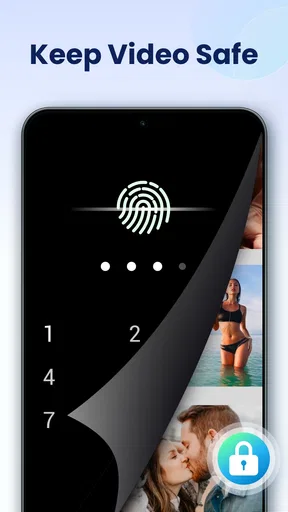
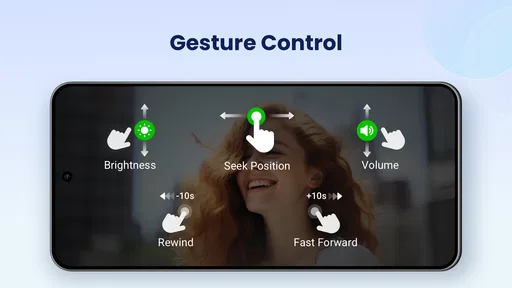
One thing I found particularly useful was the ability to lock the screen during playback. This prevents accidental taps from pausing or skipping the video, which is something I wish every video player had.
Who is likely to get the most from it?
I would recommend trying it if your phone holds a mix of downloaded films, lesson recordings, and personal clips, especially when the default player does not give you enough ways to manage playback. Students may appreciate being able to pause a lecture and return later; travelers can use a saved video without relying on a streaming session; and anyone watching a film with separate captions may value having subtitle adjustments close at hand. These are everyday conveniences, not a promise that every file will behave identically.
It is a less compelling choice if you mostly stream rather than play files stored on your device, or if your existing player already handles your collection comfortably. It is also not the right tool if what you really need is to cut, join, or polish footage: this is a player in the video category, not a video editor. That distinction sounds obvious, but it avoids installing it with the wrong job in mind.
The app is rated for Everyone and was released on February 10, 2017. Its current version is 2.5.0.4, and it requires Android 7.0 or later. Those details make it straightforward to check basic compatibility before installing, especially if you are setting up an older phone. I would still judge day-to-day suitability by testing your own files and controls after installation.
Final Thoughts
Overall, Video Player All Format delivers on its promises and then some. It’s a reliable, versatile media player that caters to a wide variety of needs. Whether you're a movie buff, a student watching lectures, or just someone who enjoys home videos, this app is a fantastic addition to your arsenal.
If you're tired of fiddling with incompatible video formats or apps that crash at the worst times, give this one a shot. It's free to download, so there's really nothing to lose. Just head over to the Play Store or App Store and see for yourself!
My buy-or-skip verdict
I see this as a low-risk app to try, not an automatic purchase. Start with the free version, open the kinds of videos you actually watch, and check whether browsing, resuming, captions, and audio controls fit your routine. The paid items range from $0.99 to $9.99 each, so I would only pay after confirming that a specific purchase solves a problem you have rather than buying on the assumption that a paid option must be necessary.
In short, I would keep it in mind as a capable Android fallback for local playback, particularly if file variety and playback controls matter to you. If your gallery already does the job, skip the extra app; if you want editing or mainly watch online streams, look for a tool built around that instead. For someone who wants a free starting point and a more flexible way to handle stored videos, this is a sensible one to test.
Pros
- Supports all video formats seamlessly.
- High-quality playback with no lag.
- User-friendly interface for easy navigation.
- Includes advanced subtitle support.
- Offers video playback speed control.
Cons
- Contains ads which can be intrusive.
- Limited customization options.
- Requires in-app purchases for some features.
- No cloud sync for saved playlists.
- Occasional crashes on older devices.
FAQs for Video Player All Format
What video formats does Video Player All Format support?
Video Player All Format supports a wide variety of video formats, including MP4, AVI, MKV, MOV, and more. This ensures that you can play almost any video file without needing to convert it first. The app is designed to handle high-definition videos smoothly, offering a seamless viewing experience.
Does Video Player All Format have subtitle support?
Yes, Video Player All Format supports multiple subtitle formats, such as SRT, SSA, and ASS. You can easily load subtitle files and customize their appearance to enhance your viewing experience. This feature is especially useful for users who watch foreign films or need subtitles for better understanding.
Is Video Player All Format free to use?
Video Player All Format is available as a free app with optional in-app purchases. While the free version includes many features, upgrading to the premium version provides additional benefits like an ad-free experience, improved audio quality, and advanced playback options. Users can choose based on their needs and preferences.
Can I use Video Player All Format to stream videos from the internet?
Yes, Video Player All Format allows you to stream videos directly from the internet. The app supports various streaming protocols, enabling you to watch online content without needing to download the files. This feature makes it a convenient choice for users who prefer streaming over downloading.
Does Video Player All Format have a feature for adjusting playback speed?
Indeed, Video Player All Format offers a playback speed adjustment feature. This allows users to speed up or slow down videos according to their preference. Whether you're watching tutorials or trying to catch every detail in an action scene, this feature provides flexibility in how you consume video content.


